
WhatsApp Adds Multiple Accounts Support And New Features for iOS
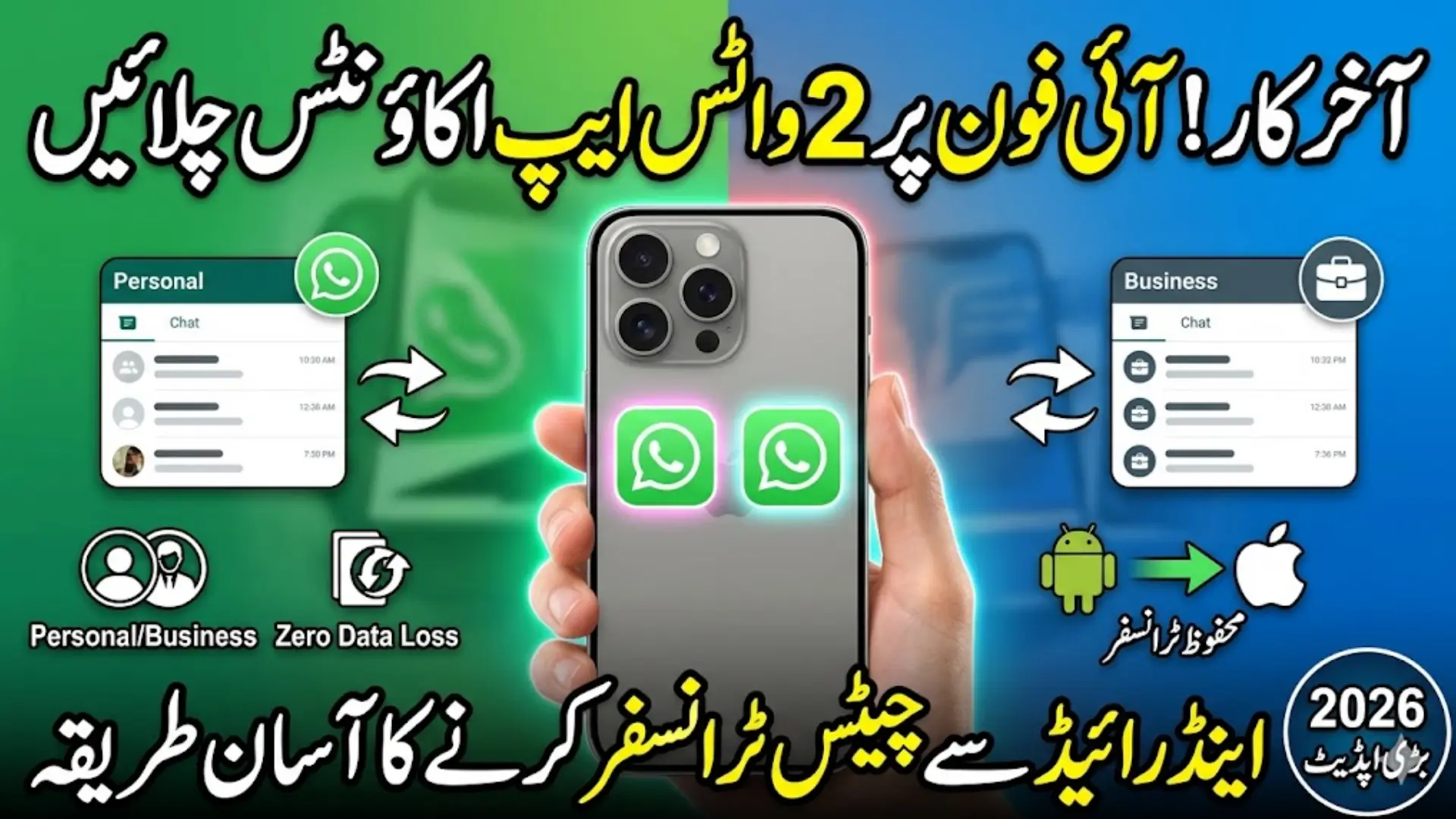
WhatsApp Adds Multiple Accounts Support In 2026, WhatsApp has introduced a major update for iOS users that is already creating strong interest among mobile users in Pakistan. This update is not just a small change, but a complete improvement in how people use WhatsApp daily. The biggest highlight is the multiple accounts feature, along with improvements in chat management and data transfer between Android and iPhone. For many users, especially those who recently switched devices, this update feels like a long-awaited solution.
From what I have observed, most users in Pakistan rely heavily on WhatsApp for both personal and business communication. Whether it is small shopkeepers, freelancers, or office workers, everyone depends on WhatsApp chats, media, and groups. That is why any change in WhatsApp directly affects daily routines. This update focuses on solving real problems like account switching, data loss, and transfer issues that people have been facing for years.
- WhatsApp now offers better control over multiple accounts
- Improved experience for iPhone users switching from Android
- Focus on protecting chats, media, and user data
- More stability and ease of use in daily communication
You Can Also Read: Eligible For BISP Wallet SIM Issuance And Payment
Multiple Accounts Feature on iOS: What It Means for Users
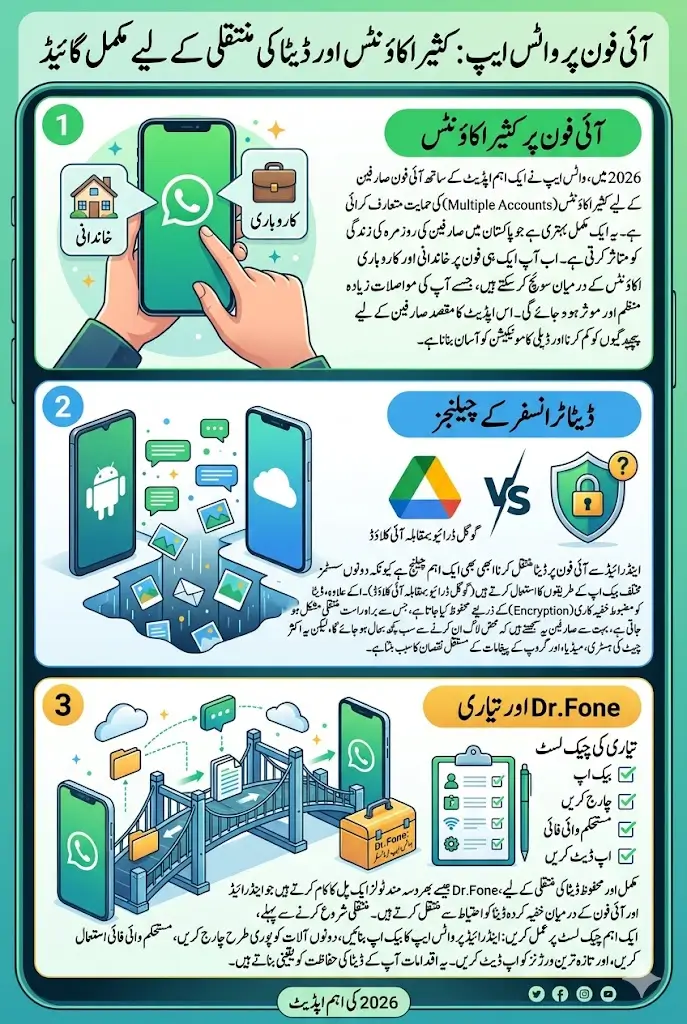
The introduction of multiple accounts support on iOS is one of the most practical features WhatsApp has launched in recent years. Previously, iPhone users had no official way to use two WhatsApp accounts on the same device. People had to use separate phones or complicated methods, which was not convenient at all. Now, WhatsApp has made this process simple and official.
This feature allows users to add more than one account and switch between them without logging out. For example, a user can keep one account for family and another for business. This is especially useful in Pakistan, where many people use dual SIM phones and manage different contacts for work and personal life.
The real benefit is that it reduces confusion and saves time. Instead of mixing personal and professional messages, users can keep everything organized. This is very helpful for freelancers, online sellers, and small business owners who deal with customers daily on WhatsApp.
- Manage personal and business chats separately
- Switch accounts without logging out
- No need to carry two mobile phones
- Better organization of messages and contacts
You Can Also Read: Zewar-e-Taleem Program Closed in Punjab Complete Details
Why WhatsApp Data Transfer Still Needs Proper Method
Even though WhatsApp is improving its features, transferring data from Android to iPhone is still not automatic. This is because both systems work differently at a technical level. Android devices store WhatsApp backups on Google Drive or local storage, while iPhones use iCloud. These systems cannot directly communicate with each other.
Another important factor is encryption. WhatsApp uses strong security to protect user data, which means chats are locked with unique keys. These keys are different for Android and iPhone, so data cannot simply be opened on another system. This is why many users are surprised when their chats do not appear on a new iPhone.
From practical experience, this is where most users make mistakes. They assume logging into WhatsApp will automatically restore everything, but that is not the case when switching platforms. A proper method is required to bridge this gap and safely move data.
- Android and iPhone use different backup systems
- Google Drive backups do not work on iCloud
- Encryption prevents direct data access
- Manual transfer process is necessary
You Can Also Read: CM Punjab Climate Leadership Development Program
Common Problems Users Face While Switching Devices
When users switch from Android to iPhone without proper planning, they often face serious problems. I have seen many cases where people lost years of chat history just because they skipped one important step. This can be very frustrating, especially when important business conversations or personal memories are involved.
One common issue is that WhatsApp starts as a fresh app on the new iPhone. Users see no chats, no media, and empty group conversations. This creates confusion and sometimes panic, especially for those who depend on WhatsApp for work.
Another issue is related to contacts and group chats. Without proper transfer, contacts may appear as unknown numbers, and groups may lose their message history. This breaks communication flow and makes it difficult to continue conversations from where they were left.
- Old chats and media files disappear
- Group conversations appear empty
- Contacts show as unknown numbers
- Backup files fail to restore
- Important data becomes inaccessible
Important Checklist Before Moving WhatsApp to iPhone
Before starting the WhatsApp transfer process, proper preparation is extremely important. Many users ignore this step, but it plays a key role in ensuring a smooth and successful migration. A simple checklist can help avoid common mistakes and protect your data.
From experience, users who follow preparation steps face fewer problems during transfer. It ensures that all chats, media, and contacts are ready to move and nothing important is left behind. This step is especially useful for users who are switching phones for the first time.
You Can Also Read: 8171 Web Portal 13500 Payment Status 2026
Preparation Checklist for WhatsApp Transfer
| Step | Action | Why It Matters |
|---|---|---|
| Backup | Create WhatsApp backup on Android | Protects chats and media before transfer |
| Battery | Fully charge both devices | Prevents interruption during process |
| Internet | Use stable Wi-Fi connection | Ensures smooth and fast transfer |
| Update App | Install latest WhatsApp version | Avoids compatibility issues |
| Storage | Check space on iPhone | Ensures all data fits properly |
| Permissions | Allow access to storage and contacts | Required for complete transfer |
| Phone Number | Use same number on both devices | Maintains chat identity |
- Always double-check backup before starting
- Keep both devices ready and connected
- Avoid rushing the process
How to Safely Transfer WhatsApp Chats Without Losing Data
To safely transfer WhatsApp data, users must follow a proper and guided method. Random attempts or incomplete steps can result in permanent data loss. That is why many users now rely on trusted tools that are designed specifically for this purpose.
A reliable transfer method works like a bridge between Android and iPhone systems. It reads the encrypted data and moves it safely without damaging files. This ensures that chats, media, and group conversations remain intact after the transfer.
From what I have seen, users who use proper tools complete the process quickly and without stress. It also reduces the chances of errors and missing data, which is very important for users who rely on WhatsApp daily.
- Ensures complete transfer of chats and media
- Reduces risk of data loss
- Saves time compared to manual methods
- Suitable for both beginners and advanced users
You Can Also Read: Sindh Government Clarifies Holiday Extension
Step-by-Step Process Using Dr.Fone WhatsApp Transfer Tool
Dr.Fone WhatsApp Transfer is one of the tools that many users prefer for moving data between Android and iPhone. It simplifies the process and provides a step-by-step approach that even non-technical users can follow easily.
The process starts by connecting both devices to a computer. After that, users select the WhatsApp transfer option and choose the type of data they want to move. Once the transfer begins, the tool handles everything automatically.
The best part is that users do not need advanced technical knowledge. The interface is simple, and instructions are clear. This makes it a practical solution for everyday users in Pakistan who want a safe and quick transfer.
- Connect both phones to a computer
- Select WhatsApp transfer option
- Choose chats and media files
- Start transfer and wait for completion
Full Phone Data Migration: More Than Just WhatsApp
When switching to a new iPhone, users often want to transfer more than just WhatsApp. Contacts, videos, pictures, and documents are also important parts of daily use. That is why full phone data migration is becoming more popular.
Instead of using multiple apps for different types of data, users now prefer a complete solution that transfers everything in one go. This saves time and ensures nothing important is left behind.
From a practical point of view, full migration is especially useful for users who rely on their phones for work. It allows them to continue their routine without interruption after switching devices.
- Transfer contacts and call history
- Move photos, videos, and documents
- Keep all data organized on new device
- Avoid using multiple transfer methods
You Can Also Read: BISP 13500 Cheque Payment 2026 Collection Process
Key Features of Modern WhatsApp Transfer Tools in 2026
Modern transfer tools have improved significantly in 2026. They are faster, more secure, and easier to use compared to older methods. These improvements make them reliable for users who want a smooth experience.
One of the key features is speed. Large chat histories that used to take hours can now be transferred much faster. Another important feature is security, which ensures that user data remains protected throughout the process.
These tools are also designed to be user-friendly. Even people with basic mobile knowledge can use them without difficulty. This makes them accessible to a wider audience, including ordinary users in Pakistan.
- Faster data transfer speeds
- Strong encryption and data protection
- Compatibility with latest Android and iOS versions
- Simple interface for easy use
How to Confirm Your Data After Transfer
After completing the transfer, it is very important to verify your data. Many users skip this step and later discover missing chats or files. Checking everything immediately allows you to fix issues while recovery is still possible.
Users should open different chats and scroll through messages to ensure full history is available. Media files like photos and videos should also be checked to confirm they are loading properly. Voice notes and group chats should be tested as well.
From experience, this step only takes a few minutes but can save users from major problems later. It ensures that the transfer process has been completed successfully.
- Check chat history in multiple conversations
- Verify photos, videos, and documents
- Play voice notes to ensure they work
- Review group chats and old messages
- Confirm contact names are correct
You Can Also Read: Punjab CM Rehmat Card 2026 Get 25000 Monthly Payment
Tips to Avoid Data Loss During WhatsApp Migration
To avoid data loss, users must follow simple precautions during the transfer process. Most problems occur due to carelessness or rushing through steps. A careful approach can make the process safe and smooth.
Users should always create a backup before starting. A stable internet connection is also important to prevent interruptions. Devices should remain connected until the transfer is fully completed.
These small steps may seem simple, but they play a big role in protecting your data. From what I have seen, users who follow these tips rarely face any issues.
- Always create a backup before transfer
- Use strong and stable Wi-Fi
- Do not disconnect devices during process
- Keep phones fully charged
- Follow instructions step by step
Final Thoughts
The 2026 WhatsApp update has brought meaningful improvements for iPhone users, especially with the introduction of multiple accounts support. It reflects WhatsApp’s focus on solving real user problems and improving everyday communication.
However, switching from Android to iPhone still requires careful planning. Data transfer is not automatic, and users must follow proper steps to avoid losing important chats and media. With the right preparation and tools, the process becomes simple and stress-free
You Can Also Read: Rehmat Card Apply Online 2026