

UBL Introduces Voice-Over-Mobile Application
UBL Introduces Voice-Over-Mobile Application: A new revolutionary change came to Pakistan’s banking sector when United Bank Limited introduced the Voice-Over-Mobile (Voice Command) feature in its UBL digital app. This feature frees users from complicated buttons, fine text and difficult navigation. Now the user just taps on the mic, gives a command in his/her language, and the UBL app starts processing immediately. Through this technology, banking has become as easy and natural as a conversation. After winning the title of “Pakistan’s Most Valuable Listed Company” in 2026, UBL once again proved that it is always ahead in introducing innovative and viable solutions for the future.
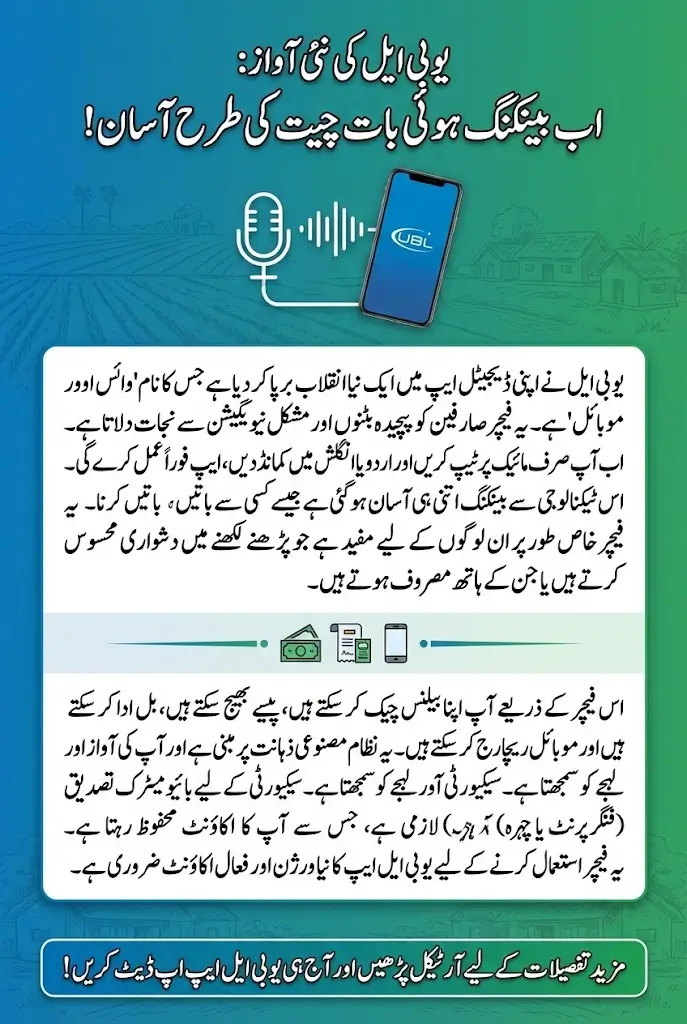
This feature of UBL is based on artificial intelligence and advanced natural language processing, which is capable of understanding the voice, accent and local pronunciation of the users. Its most important feature is its bilingual system. That is, if you want to speak in English, if you want to speak in Urdu, this app understands and acts in both languages. The Voice Command stack, developed in collaboration with technology partner Fortanxor Technologies, is not only fast but also works with strong security and greater accuracy.
Also Read: BISP 8171 Begins Rs. 13500 Quarterly Installment Of October–December 339,000 Women In Rahim Yar Khan
What is UBL Voice-Over-Mobile? And why was it created?
The main goal of UBL Voice-Over-Mobile is to give customers a simple, human-style banking experience that uses voice instead of a screen. This feature is ideal for customers who find it difficult to read text, or who find mobile interfaces complicated. Now you just say: Show me my balance, send Ahmed five thousand, or pay my electricity bill, and the app immediately executes your command.
This feature is also extremely useful for customers who are unable to navigate their mobile with their hands due to daily activities. The system can also understand regional features such as Pashto, Punjabi or the specific accents of Karachi to a large extent. Since this feature is fully powered by AI, its understanding and speed improve over time. This provides the user with a more convenient, intelligent, and reliable banking experience.
Key Benefits of UBL Voice Banking
The first and biggest benefit of UBL Voice Banking is its Accessibility. This feature is perfect for users who find it difficult to operate the phone, or have difficulty reading text due to poor eyesight. Now, balance, statement, or transfer can be done by just speaking a sentence.
- Fast response
- One-handed use
- Easy for senior citizens
- Task completed in less time
Apart from this, this feature is also useful for busy people in their daily lives. If you are traveling or your hands are busy, you can just press the mic and say: Check my balance. AI immediately understands your command and acts on it.
Also Read: Good News! Punjab Government Introduces Easy Online Licensing Without Physical Test
Prerequisites before using UBL Voice Command
To use UBL Voice Command, it is necessary for the user to update the app to the latest version, i.e. 2026.1 or above. Without this, this feature does not work. The second condition is that your UBL account is active, whether it is current, savings or smart account.
- Updated version of UBL App
- Active UBL account
- Biometric enabled
- Microphone permission
Biometric security is the key component of this feature, as voice only plays the role of input, while fingerprint or Face ID will always be required for authentication. This is what makes the security stronger.
Step-by-Step Guide to Activating UBL Voice Command
Activating UBL Voice Command is simple and quick. Once a user logs into the UBL Digital App, they can find the microphone icon on the main dashboard. A single tap activates the listening mode, and a wave animation appears to show the feature is active. This clear interface makes the process comfortable even for new users.
During the first activation, the app asks the user to choose between Urdu or English as a preferred language. Once selected, the system automatically detects spoken language in future uses, allowing users to switch languages naturally. This flexibility makes the tool intuitive and adaptable.
- Log in to the UBL Digital App
- Tap the microphone icon
- Wait for the listening animation
- Choose English or Urdu
This setup helps users start using the feature quickly.
Step-by-Step Guide to Checking Balance and Mini Statement
Checking account information through voice command eliminates the need to navigate account tabs or menus. Users simply tap the mic and ask questions such as What is my balance? or Show my mini statement. The system instantly displays the requested information clearly on the screen.
Mini statements are also accessible in the same way. Customers can speak naturally, and the app will fetch the last few transactions for immediate review. This is particularly useful at payment counters or during quick decision-making moments.
- Tap the microphone
- Speak the balance or statement command
- View the results on the screen
This method offers a faster and more convenient way to access financial information.
Step-by-Step Guide to Transferring Money
UBL makes money transfers simple by allowing users to speak commands like Send 5000 rupees to Ahmed. The app identifies saved beneficiaries and displays their full name for confirmation. If multiple beneficiaries share the same name, the system asks which one the user intends to select.
To complete the transfer, users confirm through biometric verification such as fingerprint or face ID. This ensures that even if someone hears your voice command, they cannot authorize the transaction without your biometric data.
- Tap the microphone
- Speak the transfer amount and recipient name
- Confirm the correct beneficiary
- Approve with biometric verification
Voice transfers provide speed without compromising safety.
Step-by-Step Guide to Paying Bills
UBL Voice-Over-Mobile supports bill payments for electricity, gas, internet, and phone services. Users only need to speak commands like Pay my KE bill. The system automatically retrieves the bill amount linked to the saved consumer number and displays it for confirmation. This eliminates the need to search categories or input long account numbers.
After displaying the bill details, the user confirms the payment using a biometric method. This keeps the process secure and reduces manual work. It is especially useful for busy customers who want quick bill payments without multiple steps.
- Tap the voice icon
- Speak the command such as Pay my bill
- Review the displayed bill amount
- Confirm and complete payment
This method simplifies utility bill payments through natural speech.
Also Read: Govt Announces Two Nationwide Vacations For Shab-e-Barat and Kashmir Day
Step-by-Step Guide to Mobile Recharge
Mobile top-up is another convenient feature of the voice banking system. Users can recharge their number or a saved contact by speaking commands such as Recharge my Jazz number with 1000 rupees. The app identifies the number saved under that network and prepares the recharge screen instantly.
Once the information is displayed, the user simply confirms and approves the transaction using biometric security. This makes recharging quick and ideal during travel, low-battery moments, or multitasking situations.
- Tap the mic icon
- Speak the recharge amount and network
- Review the number and amount
- Approve the recharge
Voice recharge is efficient and intuitive for all users.
Command Reference
Below is a simple command reference table to help users understand common verbal instructions. This table offers a clear overview of English and Urdu commands for core banking tasks.
| Task | English Command | Urdu Command |
|---|---|---|
| Check Balance | What is my balance? | Mera balance kitna hai? |
| Transfer Funds | Send 5000 to Ali | Ali ko 5000 bhej do |
| Pay Bill | Pay my KE bill | Mera Electricity or Gas bill ada karo |
| Recharge | Recharge Jazz 1000 | Jazz ka balance dal do |
These commands give users a quick way to understand the range of supported voice actions.
Also Read: MAECI Scholarship 2026 Pakistan: Fully Funded Study Opportunities in Italy For Pakistani Students
Security Features of UBL Voice Banking
Security remains the center of this new feature, and UBL has ensured a multi-layered protection system. Voice commands can start a task but cannot complete it. Verification is always required either through Face ID, fingerprint, or a secure PIN. This prevents unauthorized actions, even if someone knows your beneficiary names.
The microphone is only active when manually tapped. It does not stay in listening mode or capture speech automatically, offering complete privacy. Confirmation screens also appear in the language used during the voice command, reducing chances of misunderstanding.
- Biometric and PIN verification required
- No always-listening mode
- Clear confirmation screens in both languages
These features make voice banking safe for all users.
Final Words
UBL’s Voice-Over-Mobile system is a major step forward in making digital banking easier, faster, and more accessible for all types of users. With natural voice commands, simple setup, and strong security, the feature makes everyday banking effortless. It also empowers users who may find traditional digital banking tools difficult.
As UBL continues innovating, voice-based services are expected to grow, eventually offering predictive banking and automatic reminders. This expansion will help customers stay informed and complete essential tasks with even greater convenience.
Also Read: Sindh Education Department Announces Holiday For Shab-e-Barat On 4 February
FAQs
How secure is the UBL Voice Command feature?
It is completely safe because voice alone cannot authorize transactions. Biometric or PIN verification is always required.
Can the voice feature understand Urdu commands easily?
Yes, it is designed to understand Urdu naturally, including local accents and informal phrases.
Does the app listen continuously?
No, the microphone activates only when you tap the voice icon manually.
Can I recharge mobile numbers not saved in my account?
Recharges work best with saved contacts, but you can manually confirm other numbers if needed.
Does this feature work without internet?
No, a stable internet connection is required for accurate voice processing