

BISP 8171 Phase 3 Wallet Account 2025
BISP 8171 Phase 3 Wallet Account 202: The Government of Pakistan has introduced of the BISP 8171 Wallet Account for Phase 3 for 2025, offering a modern and secure way for eligible beneficiaries to receive their monthly assistance directly into a mobile account. This initiative is designed to simplify payment procedures, reduce delays, prevent unauthorized deductions, and ensure that aid reaches the correct recipients efficiently.
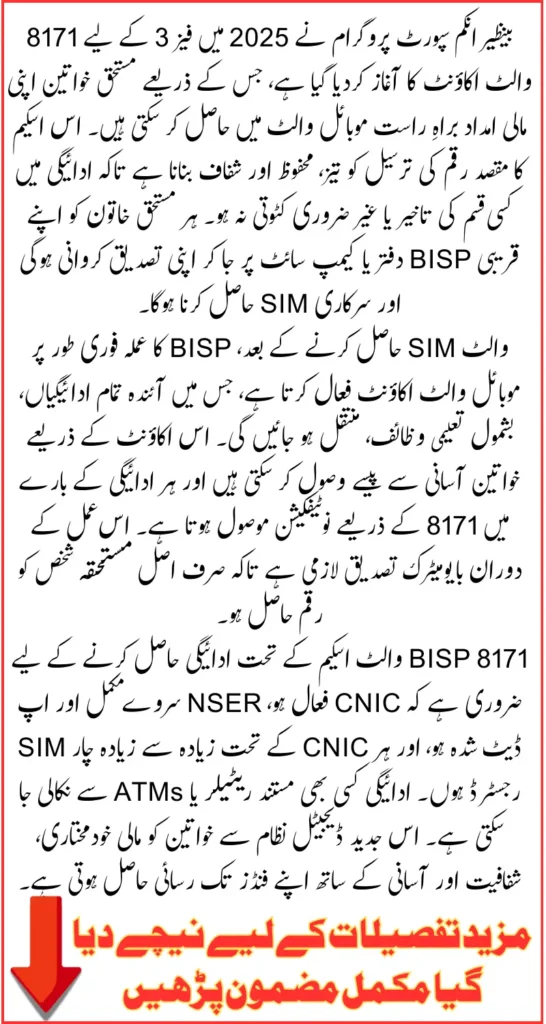
Phase 3 continues the digital transformation of BISP payments, following successful implementation of previous phases. Now, every eligible woman can collect her quarterly financial aid, including Taleemi Wazaif, directly through a dedicated mobile wallet after completing verification at an official BISP office or campsite. This article explains all steps, requirements, and benefits of the program in detail so beneficiaries can use it without difficulty.
Also Read: Apna Ghar Apni Chat Application Status Check Online Know Full Method 2025 And Necessary Documents
Purpose of BISP Wallet SIM Phase 3
The primary goal of BISP Wallet SIM Phase 3 is to modernize the payment system for social assistance programs. By introducing a dedicated SIM-based digital wallet, the government ensures faster, safer, and fully transparent financial transfers.
This system also promotes financial inclusion for women by giving them direct control over their payments. By linking the Wallet SIM to each beneficiary’s CNIC, the government eliminates risks of fraud and misuse, making sure that only the rightful owner receives the assistance.
Key Benefits of Phase 3 Wallet Account
BISP 8171 Phase 3 Wallet Account offers multiple advantages to beneficiaries. It simplifies the process of receiving assistance while maintaining security and transparency.
- Direct deposit of all BISP payments including Taleemi Wazaif
- No long queues or dependency on cash centers
- Biometric verification ensures secure access
- Instant payment alerts through 8171 messages
- Easy cash withdrawal from authorized retailer shops
- Reduces chances of fraud or unauthorized deductions
With these benefits, beneficiaries can receive their payments safely, manage their funds independently, and avoid complications previously associated with manual payment methods.
How to Get Your BISP 8171 Wallet SIM
Obtaining a BISP 8171 Wallet SIM requires visiting an official BISP office or authorized campsite. The SIM cannot be issued online or through regular mobile company outlets.
Before visiting, ensure all documents are updated and personal information is correct. The process involves biometric verification to confirm the identity of the beneficiary.
- Visit the nearest BISP office or campsite personally
- Bring your original CNIC for verification
- Provide accurate household details already in the BISP record
- Follow the instructions given by BISP staff
- Ensure your mobile phone is functional for SIM insertion
Completing these steps carefully ensures a smooth verification process and immediate issuance of the official Wallet SIM.
Biometric Verification and SIM Activation
Biometric verification is crucial to guarantee that the SIM is issued to the rightful beneficiary. This step cross-checks CNIC information through NADRA to prevent fraud or misuse.
- Provide your fingerprints for verification
- Ensure CNIC is valid and not expired
- Wait for the system to match your identity
- Resolve any CNIC or household data issues before visiting
- Receive the official BISP Wallet SIM after successful verification
After this step, the SIM is activated on-site and linked to a digital wallet where future BISP payments will be deposited.
Also Read: Ehsaas Program 8171 Online Application And Payment Collection Full Guide Explained
Activating Your Digital Wallet Account
Once the SIM is issued, the BISP staff will activate the linked mobile wallet. Beneficiaries can then receive all future assistance automatically without visiting cash centers.
Before activation, beneficiaries will need to set a secure PIN, which will be used for transactions and cash withdrawals. All alerts, payment confirmations, and updates will be sent to the registered SIM.
- SIM linked with CNIC
- Digital wallet account created
- Secure PIN setup required
- All future payments deposited directly
- Receive payment notifications through 8171
Once activated, the wallet ensures transparency and security while offering convenience for beneficiaries.
Requirements Before Visiting the BISP Office
Before attempting to get the Wallet SIM, beneficiaries must ensure their personal data is correct and all necessary documents are prepared. Missing or outdated information may delay the process.
- Valid CNIC and not expired
- NSER survey completed and updated
- Maximum of five SIMs registered per CNIC
- Household details match BISP records
Completing these requirements ensures a smooth process for SIM issuance and wallet activation.
Also Read: Sindh Worker Welfare Card 2025 Registration Online Started Know Step-By-Step Method To Get 700000
Comparison Between Old Payment Method and Wallet SIM System
Here is a clear comparison to show the improvements Phase 3 brings over the old manual payment system:
| Feature | Old Payment Method | BISP Wallet SIM Phase 3 |
|---|---|---|
| Payment Collection | Long queues at cash centers | Direct deposit in mobile wallet |
| Verification | Manual, error-prone | Biometric verification |
| Security | Risk of theft or fraud | Payments reach verified beneficiary only |
| Accessibility | Limited points, long travel | Authorized retailers nationwide |
| Transparency | Difficult to track payments | Digital record and 8171 alerts |
This table highlights the efficiency and security that the new Wallet SIM system brings to millions of beneficiaries across Pakistan.
How to Withdraw Payments from Wallet SIM
Once the digital wallet is activated, beneficiaries can withdraw their assistance conveniently from authorized retailer shops or ATMs. Every transaction requires CNIC verification and PIN entry to ensure security.
- Visit an authorized retailer or ATM
- Provide CNIC and secure PIN
- Complete biometric verification if required
- Receive cash immediately
- Keep track of 8171 messages for updates
This method eliminates the need for long queues and reduces reliance on manual cash distribution systems.
Also Read: Sindh Free E-Bike Scheme 2025: Eligibility, Registration Process, And Key Features Details
Keeping Your SIM Active and Secure
Beneficiaries must maintain their Wallet SIM in active status to continue receiving alerts, payments, and updates. Any interruption may cause missed notifications or payment delays.
- Keep the SIM inserted in your mobile device
- Never share SIM or PIN with anyone
- Replace lost SIM immediately at a BISP office
- Track all 8171 messages
- Update the mobile number if it stops working
Following these precautions ensures uninterrupted access to financial assistance.
Resolving Pending CNIC or NSER Issues
If a beneficiary’s CNIC is expired or NSER survey is incomplete, verification cannot be completed. These issues must be addressed prior to SIM issuance.
- Renew expired CNIC through NADRA
- Update NSER survey if required
- Correct household information
- Verify eligibility status with BISP
- Visit BISP office only after updating records
Completing these steps ensures smooth activation of the digital wallet without delays.
Also Read: 8171.bisp.gov.pk Portal To Check December Payment Online Using CNIC Number Know Step-By-Step Method
Conclusion
The BISP 8171 Phase 3 Wallet Account 2025 introduces a modern, secure, and transparent system for receiving government assistance. By linking payments to a dedicated mobile SIM and activating a digital wallet, beneficiaries gain direct control over their funds while avoiding delays and deductions.
Women can now enjoy timely payments, easy cash withdrawal, and complete transparency without relying on manual cash distribution. By following the required steps carefully, beneficiaries will benefit from this secure and efficient financial assistance system.
Also Read: 8171 Ehsaas Program-BSP 2025 New 13,500 Collection Methods Via Mobile Van And ATM Machine
Frequently Asked Questions
How can I get the BISP Wallet SIM?
Visit the nearest BISP office or campsite and complete biometric verification to receive the SIM.
What if my CNIC is expired?
You must renew your CNIC at NADRA before completing BISP verification.
Will I receive payments directly in this wallet?
Yes, all Kafaalat and Taleemi Wazaif payments will be deposited directly.
How will I get updates from BISP?
All messages, including payment alerts, will be sent from 8171 to your Wallet SIM.
Can I withdraw money from any shop?
Yes, cash can be withdrawn from any authorized retailer by verifying your CNIC and wallet PIN.